
Available

grandMA3 plugins

Program faster, without errors.

Lua plugins designed by lighting programmers. They handle the long, repetitive operations of programming, on the console and on grandMA3 onPC, so your time goes to creative work.

The plugins

Phasius is available. Two more plugins are in preparation.

Available

Phasius

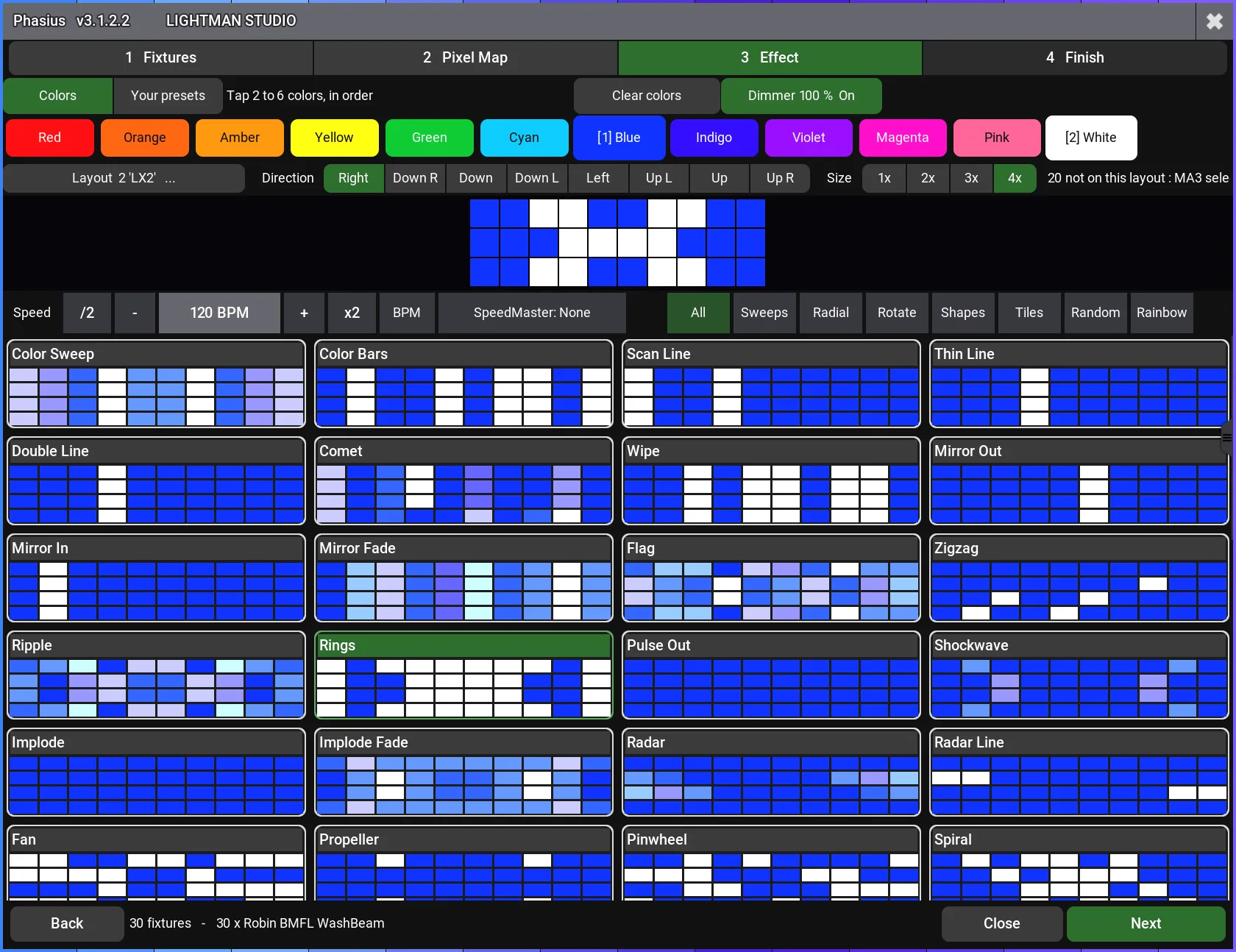
The effect generator for grandMA3: your phasers created in a few settings.

Discover Phasius
Phasius dans grandMA3 : l’écran des effets de pixel map
Coming soon

Two more plugins are coming

Phasius opens the series. Each plugin solves a specific grandMA3 programming task, tested in real conditions before release.

  • One-time purchase, no subscription
  • Updates delivered to your account
  • On grandMA3 consoles and grandMA3 onPC
  • Invoice provided, secure payment by Stripe

From purchase to console

The plugins install like any grandMA3 plugin and only change your showfile where you ask them to.

  1. 1Order

    Add the plugin to your cart and pay online. The download opens immediately, with your licence in your name, and stays available in your account.

  2. 2Import

    Copy the plugin files and your licence into the folder grandMA3\gma3_library\datapools\plugins of your USB drive, then import the plugin into the pool of the console or grandMA3 onPC.

  3. 3Run

    Run it from the pool, the command line or a macro, with the USB drive plugged in. On any console, with no activation.

Frequently asked questions

Do the plugins work on grandMA3 onPC?

Yes. Each plugin works on grandMA3 consoles and on grandMA3 onPC. The minimum grandMA3 software version is stated on each plugin’s page.

How do I install a grandMA3 plugin?

Copy the plugin files and your licence into the folder grandMA3\gma3_library\datapools\plugins of a USB drive (the included instructions detail each step). Plug it into the console or computer, then import the plugin into the plugin pool. Keep the drive plugged in while you use it: the plugin reads your licence from it, on any console. A guide comes with each plugin.

Is it a subscription?

No. Each plugin is bought once, with no subscription. The licence is in your name, with no time limit and no limit on the number of consoles.

Can I use a plugin on several consoles?

Yes. Your licence lives on your USB key, not on a console: plug the key into any grandMA3 console or grandMA3 onPC, with no activation.

Does a plugin evolve after purchase?

Yes. Our plugins are in active development: they improve with feedback from their users. Each new version is made available in your Lightman Studio account and announced by email; you download it again and replace the folder on your USB key. If something does not work as expected, write to contact@lightmanstudio.com with the plugin version and your grandMA3 version: we fix it and deliver the update.

Let’s talk about your project

A question, a demonstration, a specific need: our team answers you directly.